


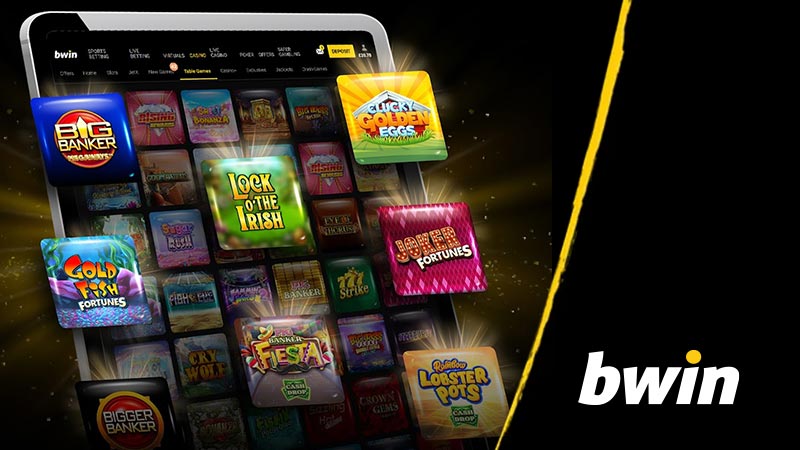
The bwincasino app delivers the full range of games, banking tools and account controls that the desktop site provides, yet it operates natively on Android and iOS phones and tablets used by players in the Netherlands. This review evaluates download steps, device compatibility, in-app features, data consumption and performance benchmarks so that Dutch users can determine whether the mobile client satisfies their expectations before installing.
Update Frequency and Bug Fixes
Bwin Casino publishes app updates approximately every four weeks. Each release note details bug fixes and new game additions; users can check the notes inside the app under “What’s new.” Critical security patches circumvent the normal cycle and trigger an immediate update prompt the next time the app connects to the server. On Android, the Google Play version obtains updates automatically if the setting is enabled; sideloaded users must download the new APK manually. iOS updates become available in the App Store and need a Wi-Fi connection if the file exceeds 150 MB. Past releases have fixed crashes on iOS 14 devices and corrected display scaling on foldable Android phones, demonstrating that the development team reviews Netherlands-specific user reports.
Setup Process for Dutch Users
Users in the Netherlands access the official Bwin Casino site in their mobile browser and select the “App” banner. The site detects the device type and offers either a Google Play link for Android or an App Store link for iOS. After clicking the link, the user is redirected to the store page where they confirm the download; no extra registration is required beyond the existing Bwin Casino account. Installation completes in under sixty seconds on a 4G connection. The app icon appears on the home screen and requests permission to access storage and notifications. Once launched, the login screen accepts the same credentials employed on the desktop site, and two-factor authentication codes come via SMS within the Netherlands without additional roaming charges.
Device and Operating-System Integration
Android customers require version 7.0 or newer, while iOS users need at least iOS 13. The app identifies screen size instantly and adapts layouts for phones as small as 5 inches and tablets up to 12.9 inches. On devices running Android 12 or iOS 15, graphics rendering employs hardware acceleration, which cuts input lag during live dealer sessions. Older handsets that match the minimum version still open the app, but animation frame rates decline and some live tables move to a simplified lobby view. Bwin Casino does never publish an official list of tested models; instead the download page checks the handset during installation and displays a compatibility notice if the operating system is unsupported.
Frequently Asked Questions
Does the Bwin Casino app support Dutch?
Yes, it is. The interface language follows the device setting; if Dutch is set on the phone, menu options, game titles and help text are displayed in Dutch. English stays available as a second option inside the settings menu.
Is a separate account required for the app?
No. The identical Bwin Casino username and password work on the app and the website. Two-factor authentication codes sent to a Dutch mobile number function identically on both platforms.
Can I start playing for real money right after installing?
Certainly, assuming the account is verified. Deposits via iDEAL go through instantly, allowing real-money play within minutes of gelderlander.nl the first login on the app.
What is the effect of updating my phone’s operating system?
The app continues to run after major OS updates. If compatibility issues arise, the next scheduled release generally addresses them; users get an update prompt inside the app.
Are responsible gaming tools supported by the app?
Yes, it does. Deposit limits, session reminders and direct links to the Dutch self-exclusion register are embedded in the profile menu and become active immediately across all devices.
Does the app function on tablets?
Yes. The layout adapts to tablet screen sizes, showing additional game columns and larger live dealer windows while keeping all account and payment functions.
Protection Features on Smartphone
The app protects all data in transit with TLS 1.3 and saves session tokens in the device keychain instead of in plain files. Biometric login uses the phone’s fingerprint or face-recognition hardware; if the biometric check is unsuccessful three times, the app switches back to PIN entry. Dutch users obtain a one-time six-digit code via SMS when logging in from a new handset, adding an extra layer that stops unauthorised access even if the phone is lost. The app does not seek access to contacts, location or microphone, reducing the data shared with the operator to gameplay and payment details only.
Installing outside the store on Android Devices
Users who cannot access Google Play can side-load the APK file from the Bwin Casino website. Before downloading, they need to enable “Install unknown apps” in Android settings. The downloaded file includes a digital signature that the app checks on launch; if the signature does not match, installation halts and an error message shows up. Sideloading does not circumvent Dutch licensing rules; the app still connects to the same regulated servers used by the store version. After installation, the user needs to open the app once while connected to Wi-Fi so that additional game assets are downloaded in the background. Future updates are delivered through the same APK channel, and the app checks for a newer version each time it starts.
Performance Benchmarks and Data Usage
On a regular 4G connection in the Randstad, the app consumes approximately 3 MB per minute of live blackjack and 6 MB per minute of live roulette with HD streaming enabled. Slot sessions without video backgrounds use less than 1 MB per minute. On Wi-Fi the same activities use roughly 30 percent more data because higher-resolution assets load automatically. CPU usage on a mid-range Snapdragon 7-series device remains below 25 percent during slot play and increases to 40 percent on live tables. Battery drain is around 8 percent per hour on a 4000 mAh cell, on par with streaming a 720p video. Players can lower data and battery impact by switching to the “Lite graphics” toggle inside settings, which lowers animation detail and deactivates background music.
Core In-App Features
The lobby shows live dealer tables, slot categories and jackpot counters that renew every thirty seconds. A persistent search bar takes Dutch keywords such as “blackjack” or “fruitautomaat,” returning results instantly. Players can change between light and dark themes, and the chosen setting carries over across sessions. The cashier section lists iDEAL, Trustly, credit cards and e-wallets; each method indicates estimated deposit and withdrawal times before the transaction begins. Push notifications can be adjusted for deposit confirmations, bonus expirations and live casino seat availability. A built-in reality-check timer alerts users of elapsed playtime every thirty minutes and gives an immediate logout option.
Account Tools Tools
Inside the profile menu, users modify deposit limits, session reminders and self-exclusion periods without contacting support. Changes take effect immediately and are stored server-side, so the same limits remain if the player later logs in on a desktop browser. Transaction history downloads as a CSV file covering the previous twelve months, valuable for Dutch tax declarations.
Safe Gaming Controls
The app connects directly to the Dutch national self-exclusion register via a secure web view. Players who activate a register entry receive an immediate logout and cannot reopen the app until the exclusion period ends. In addition, the app displays a 24-hour customer-service chat staffed by Dutch-speaking agents who can guide users through limit changes or exclusion requests.
Variations from the Desktop Site
The mobile app omits the multi-window lobby present in desktop, swapping it with a swipeable carousel that shows one game category at a time. Live dealer streams play at 720p on mobile compared to 1080p on desktop, cutting bandwidth while maintaining readable card and wheel details. Account verification uploads require the phone camera; the desktop site supports file uploads from local storage. The mobile cashier displays fewer simultaneous payment methods to prevent horizontal scrolling, but every method accessible on desktop stays accessible through a secondary “All methods” link. Progressive jackpot counters refresh at the same interval on both platforms, yet the mobile version reveals only the current top three jackpots rather than the full history graph.